ATS-Max résumé template
The most conservative résumé template: one column, standard headings, no graphics.
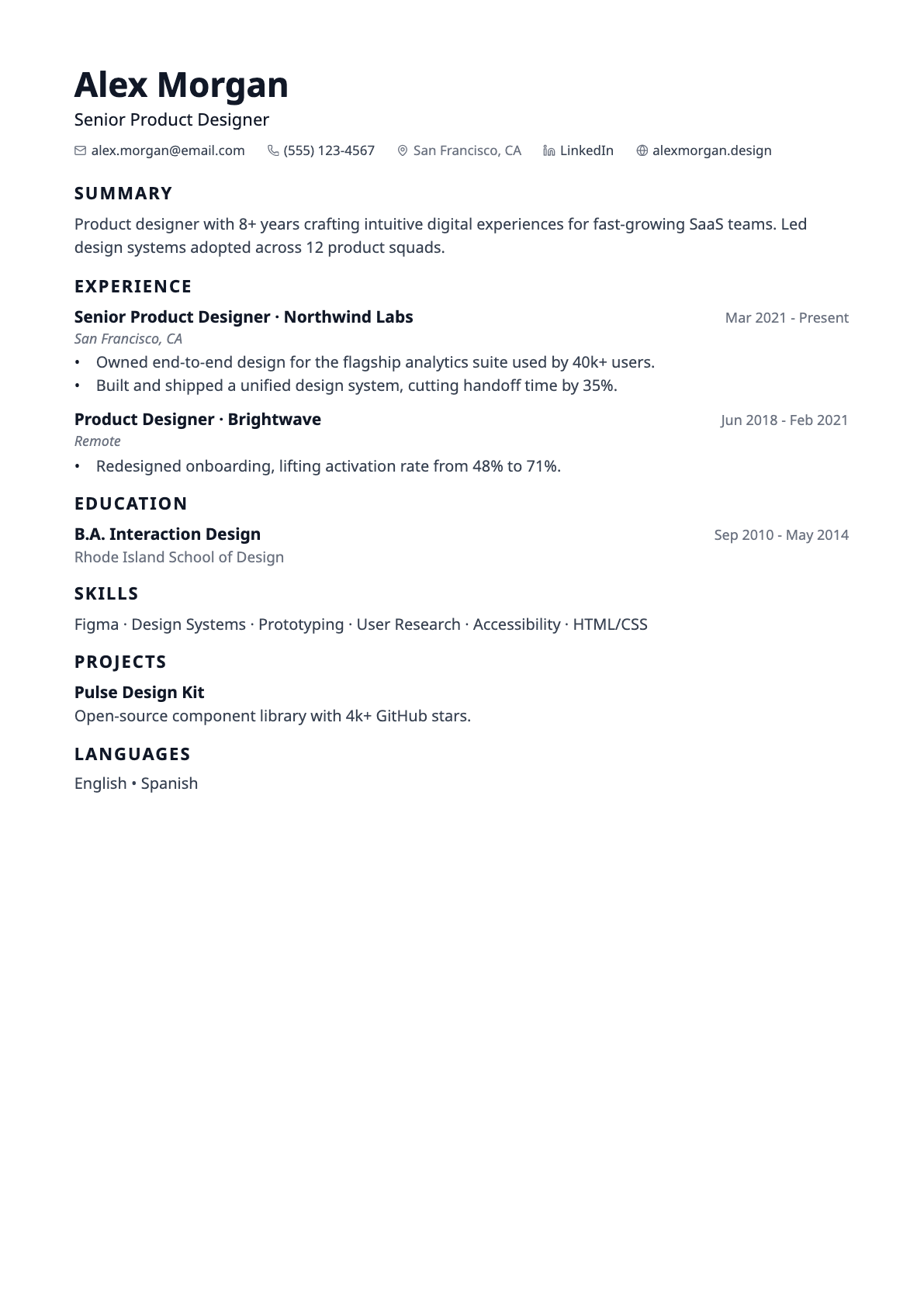
ATS-Max is built to be parsed, not admired. One column, conventional headings — Summary, Experience, Education, Skills — plain text section titles with no rules, skills as a single comma-separated line, and no tags, chips, bars, sidebars or colour blocks anywhere on the page.
Applicant tracking systems read the text layer of your file. Multi-column layouts, text boxes and tables are what tend to confuse that extraction. This template has none of them, which makes it the safest choice when you know nothing about the system on the other end.
Best for
- Large-employer application portals
- Government and public-sector applications
- Anyone who has been silently rejected and suspects parsing
Template details
- Layout
- Single column, left-aligned header
- Section headings
- Plain text, no rule
- Skills
- One comma-separated line
- Typeface
- Sans-serif (Noto Sans)
- Page size
- A4
- Exports
- PDF and DOCX
- Plan
- Free
Questions about the ATS-Max template
What makes ATS-Max safer to parse than the other templates?
Three things: it is a single column, so there is no left-to-right ambiguity about reading order; its section headings are the conventional ones parsers look for; and it draws no decorative elements at all — no tags, chips, rules, bands or sidebars. Every template in the library exports real selectable text, but this one removes everything a parser could trip over.
Does using ATS-Max guarantee my résumé will pass?
No, and be wary of any tool that promises that. Systems differ, and most rejections come down to content rather than layout. What this template does is remove layout as a variable. Use the built-in ATS score checker to work on the content side.
Is the ATS-Max template ATS-friendly?
Yes. Text is drawn as real, selectable text rather than an image, so applicant tracking systems can parse it. Every template uses conventional section headings (Experience, Education, Skills) and exports to both PDF and DOCX, which are the two formats job applications normally accept. If you want the most conservative possible structure, the ATS-Max template is single column with no rules, tags or colour blocks at all.
Can I switch templates after I start writing?
Yes, at any time. The template is stored separately from your résumé content, so switching only changes the design — nothing is reordered, rewritten or lost. You can move between all templates from the builder toolbar and watch the page count update as you go.
Does it support non-English characters?
Yes. Latin, Greek, Cyrillic, Hebrew, Arabic and Chinese/Japanese/Korean text all render in both the on-screen preview and the exported PDF, with right-to-left scripts laid out in the correct direction.