Dark Mode résumé template
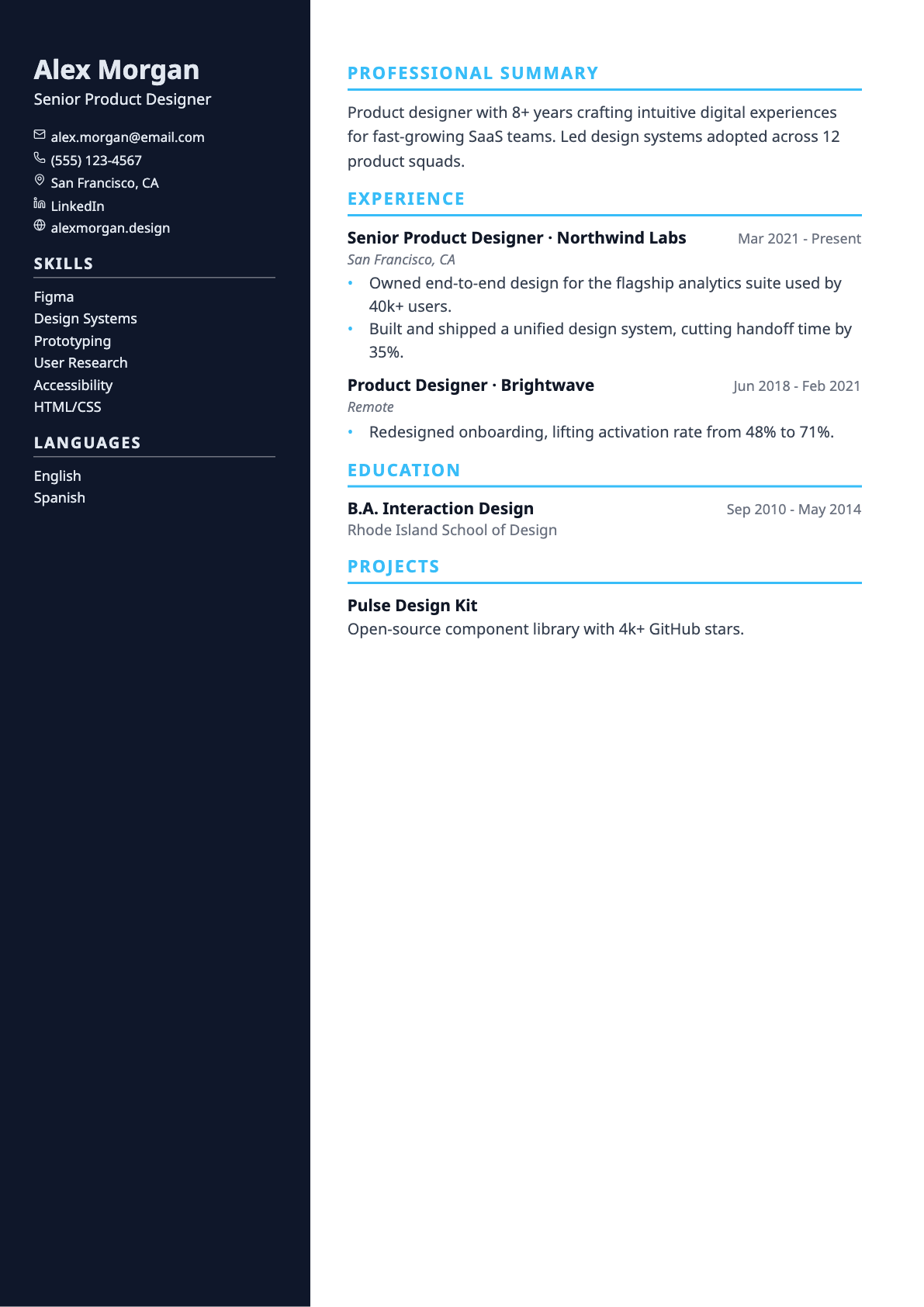
A sleek résumé template with a dark navy sidebar, memorable for digital roles.
Dark Mode pairs a deep navy sidebar with a bright accent, keeping the main column on white so the document still prints sensibly.
It is the most distinctive of the sidebar templates without becoming hard to read.
Best for
- Developer and digital roles
- Applications shared as a screen PDF
- Portfolios and personal sites
Template details
- Layout
- Two columns with a coloured sidebar
- Section headings
- Accent underline
- Skills
- One comma-separated line
- Typeface
- Sans-serif (Noto Sans)
- Page size
- A4
- Exports
- PDF and DOCX
- Plan
- Pro
Questions about the Dark Mode template
Will the dark sidebar use a lot of ink if printed?
The sidebar is a solid fill, so a printed copy will use noticeably more toner than a light template. If the résumé is likely to be printed, Nordic gives you the same two-column structure with a pale sidebar.
Is the Dark Mode template ATS-friendly?
Yes. Text is drawn as real, selectable text rather than an image, so applicant tracking systems can parse it. Every template uses conventional section headings (Experience, Education, Skills) and exports to both PDF and DOCX, which are the two formats job applications normally accept. If you want the most conservative possible structure, the ATS-Max template is single column with no rules, tags or colour blocks at all.
Can I switch templates after I start writing?
Yes, at any time. The template is stored separately from your résumé content, so switching only changes the design — nothing is reordered, rewritten or lost. You can move between all templates from the builder toolbar and watch the page count update as you go.
Does it support non-English characters?
Yes. Latin, Greek, Cyrillic, Hebrew, Arabic and Chinese/Japanese/Korean text all render in both the on-screen preview and the exported PDF, with right-to-left scripts laid out in the correct direction.