Europass-style résumé template
A clean two-column CV template following European conventions, built for EU applications.
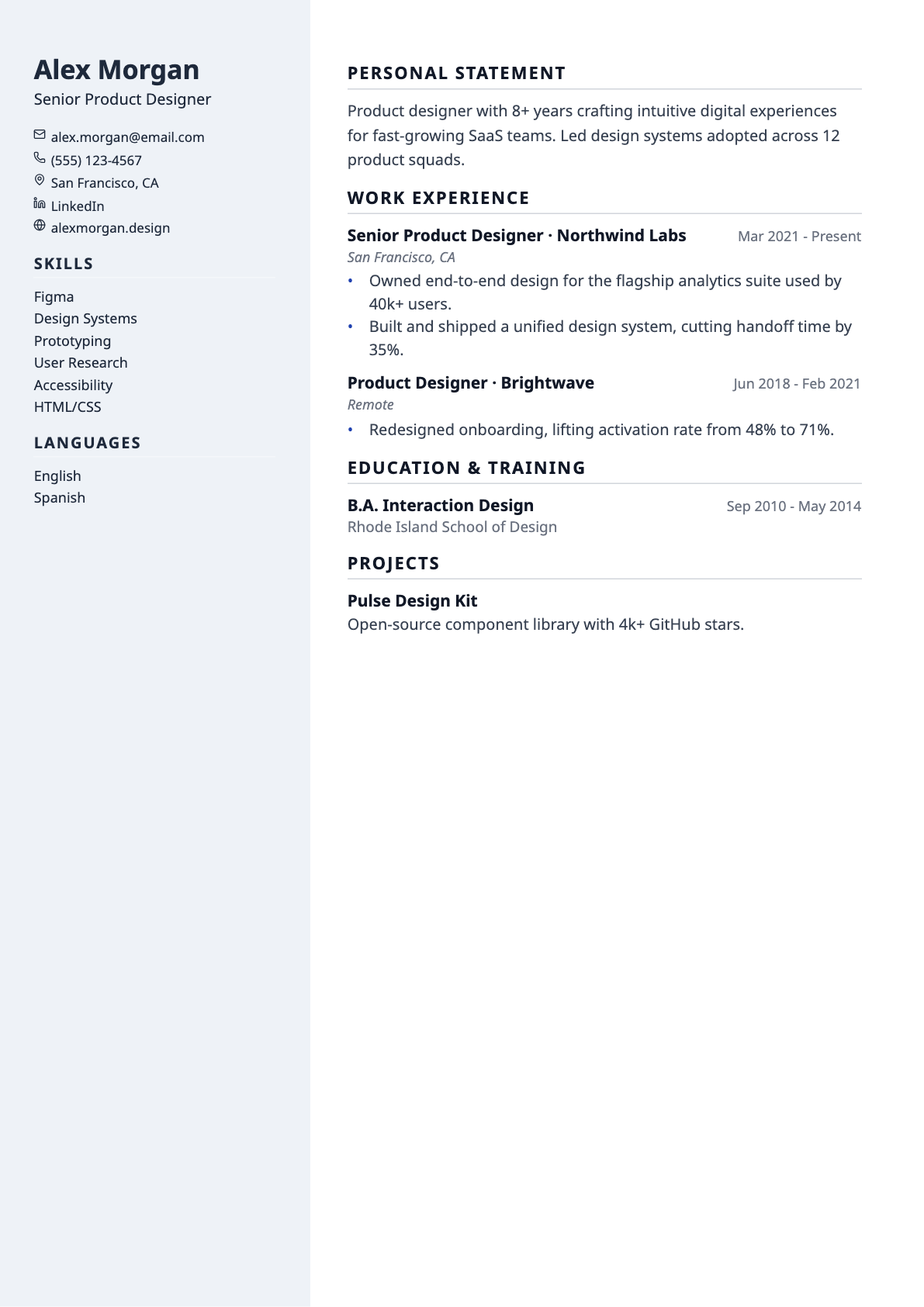
Europass-style follows the conventions European employers expect: a two-column layout with a pale sidebar for contact details, skills and languages, and section names in European phrasing — Personal Statement, Work Experience, Education & Training.
It pairs with the built-in translation tool, which converts your résumé content into another language while leaving company names, institutions and certifications intact.
Best for
- Applications to EU employers
- Multilingual candidates
- Roles requiring a European-format CV
Template details
- Layout
- Two columns with a coloured sidebar
- Section headings
- Thin rule
- Skills
- One comma-separated line
- Typeface
- Sans-serif (Noto Sans)
- Page size
- A4
- Exports
- PDF and DOCX
- Plan
- Pro
Questions about the Europass-style template
Is this the official Europass CV?
No. This is a template in the Europass style, not the official document generated by the European Commission's Europass platform. It follows the same conventions — two columns, a prominent languages section, European section naming — and is appropriate wherever a European-format CV is expected. If an employer specifically requires a file produced by the official Europass service, use that service.
Does it include a photo?
No. Photos are customary on CVs in parts of Europe but are not currently supported anywhere in the builder, so this template does not reserve space for one.
Is the Europass-style template ATS-friendly?
Yes. Text is drawn as real, selectable text rather than an image, so applicant tracking systems can parse it. Every template uses conventional section headings (Experience, Education, Skills) and exports to both PDF and DOCX, which are the two formats job applications normally accept. If you want the most conservative possible structure, the ATS-Max template is single column with no rules, tags or colour blocks at all.
Can I switch templates after I start writing?
Yes, at any time. The template is stored separately from your résumé content, so switching only changes the design — nothing is reordered, rewritten or lost. You can move between all templates from the builder toolbar and watch the page count update as you go.
Does it support non-English characters?
Yes. Latin, Greek, Cyrillic, Hebrew, Arabic and Chinese/Japanese/Korean text all render in both the on-screen preview and the exported PDF, with right-to-left scripts laid out in the correct direction.