Infographic résumé template
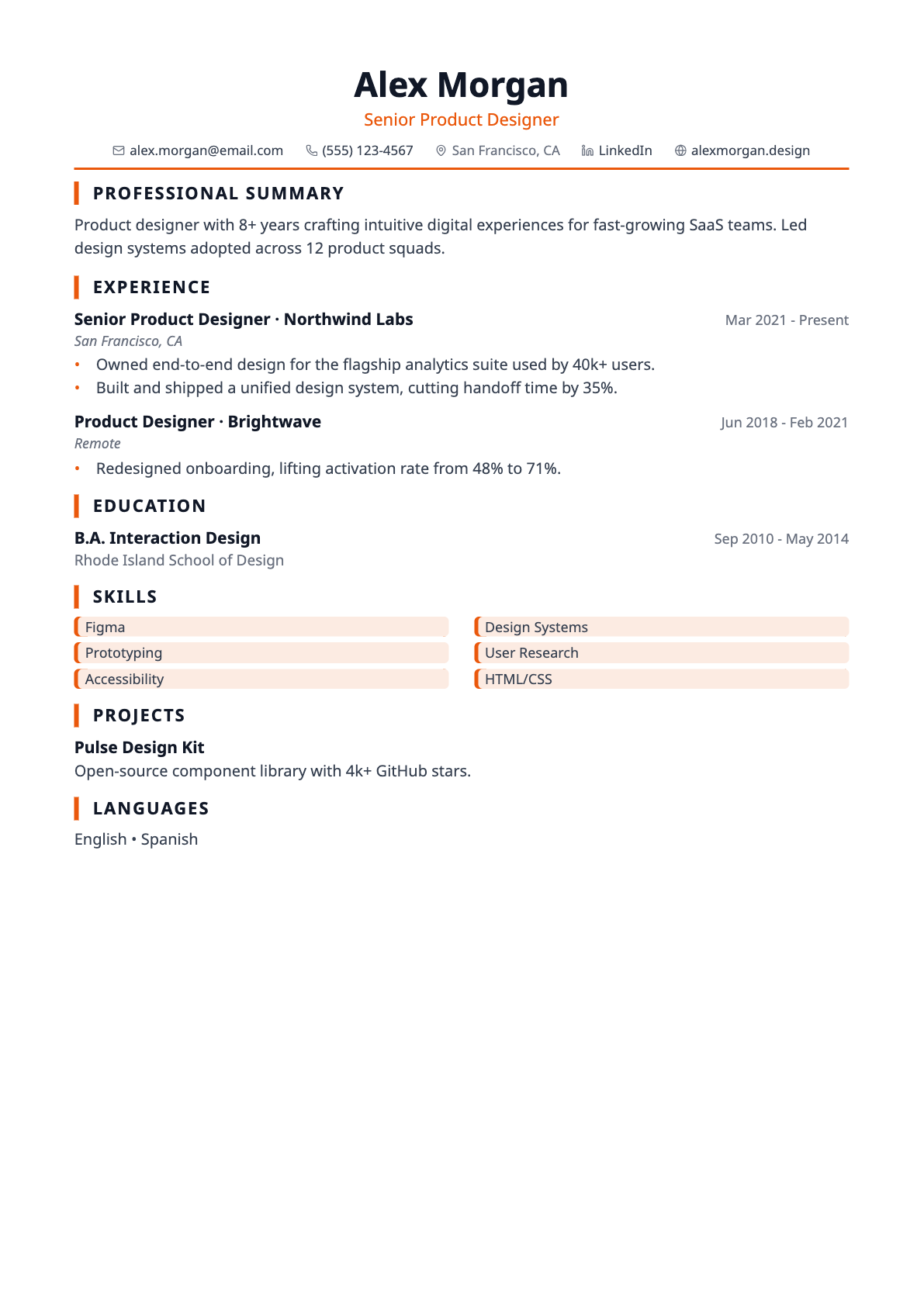
A visual résumé template with two-column accent chips for skills.
Infographic renders each skill as an accent-tinted chip in two columns, which makes a long stack scannable at a glance.
The chips deliberately carry no rating or percentage. A proficiency bar you never filled in is invented data, and this template does not present any.
Best for
- Roles with a broad tool stack
- Design and marketing applications
- Résumés reviewed on screen
Template details
- Layout
- Single column with chip-style skills
- Section headings
- Accent bar
- Skills
- Two-column accent chips
- Typeface
- Sans-serif (Noto Sans)
- Page size
- A4
- Exports
- PDF and DOCX
- Plan
- Pro
Questions about the Infographic template
Does Infographic show skill ratings or percentages?
No. Earlier versions drew a proficiency bar per skill whose fill was derived from the skill's position in your list — a number you never entered, presented as if you had. That was removed. Skills now render as plain accent chips that assert nothing beyond the words you typed.
Is the Infographic template ATS-friendly?
Yes. Text is drawn as real, selectable text rather than an image, so applicant tracking systems can parse it. Every template uses conventional section headings (Experience, Education, Skills) and exports to both PDF and DOCX, which are the two formats job applications normally accept. If you want the most conservative possible structure, the ATS-Max template is single column with no rules, tags or colour blocks at all.
Can I switch templates after I start writing?
Yes, at any time. The template is stored separately from your résumé content, so switching only changes the design — nothing is reordered, rewritten or lost. You can move between all templates from the builder toolbar and watch the page count update as you go.
Does it support non-English characters?
Yes. Latin, Greek, Cyrillic, Hebrew, Arabic and Chinese/Japanese/Korean text all render in both the on-screen preview and the exported PDF, with right-to-left scripts laid out in the correct direction.